How to use VNC to access the Raspberry Pi Desktop
Please ensure that you have followed the steps in Chapter One to correctly burn the system into your SD card, configure the correct WiFi, and assemble the car correctly according to the video.
If everything is confirmed to be ready, we will officially start the tutorial.
Firstly, insert the SD card, install the battery, and ensure the car is powered on.
Then, press the two buttons. Under normal circumstances, the two lights next to the buttons will light up, and the Raspberry Pi and OLED display will also light up. Wait for a while, and the screen will display the IP address, followed by a beep from the car’s buzzer.
Step 1 Download VNC Software
You need to download and install the VNC viewer on personal computer. After the installation is done, open it.
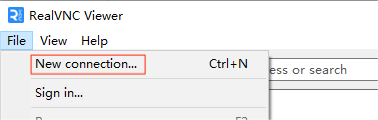
Step 2 Create new connection
Then select “New connection”.
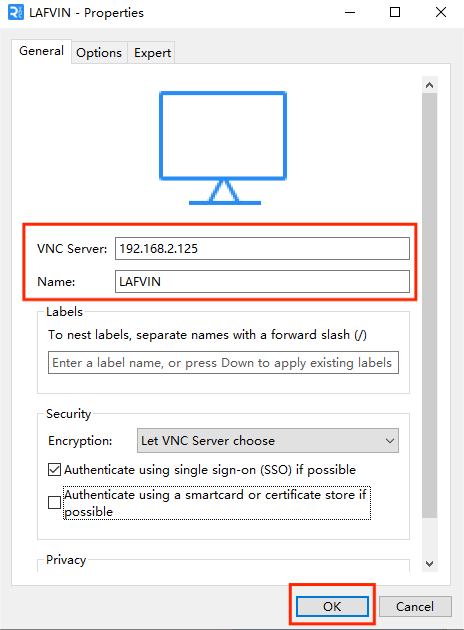
Step 3 Fill in the ip and name of the raspberry pi
Input IP address of Raspberry Pi and any Name.The IP here is from the car OLED
Step 4 Double-click to enter the Raspberry Pi GUI
Double click the connection just created:

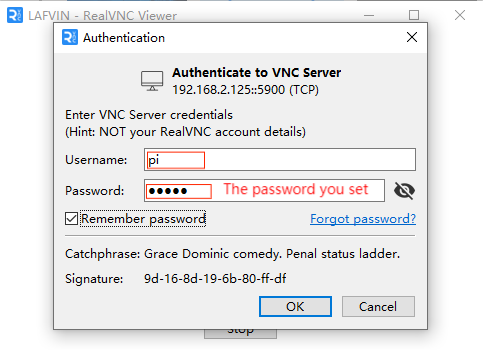
Step 5 Enter verification information
Enter Username (pi) and Password(admin).
Step 6 Raspberry Pi Desktop
Now you can see the desktop of the Raspberry Pi
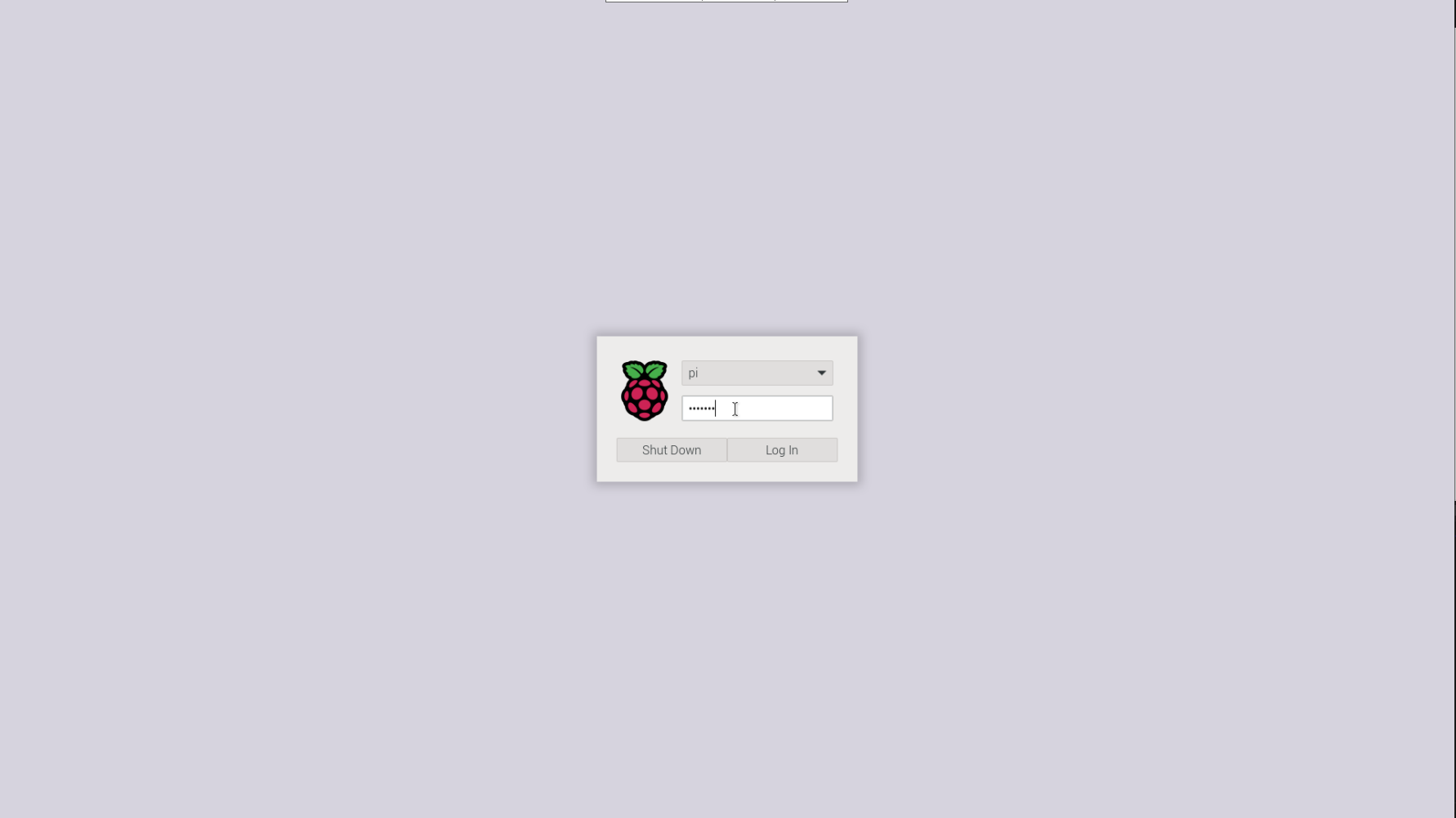
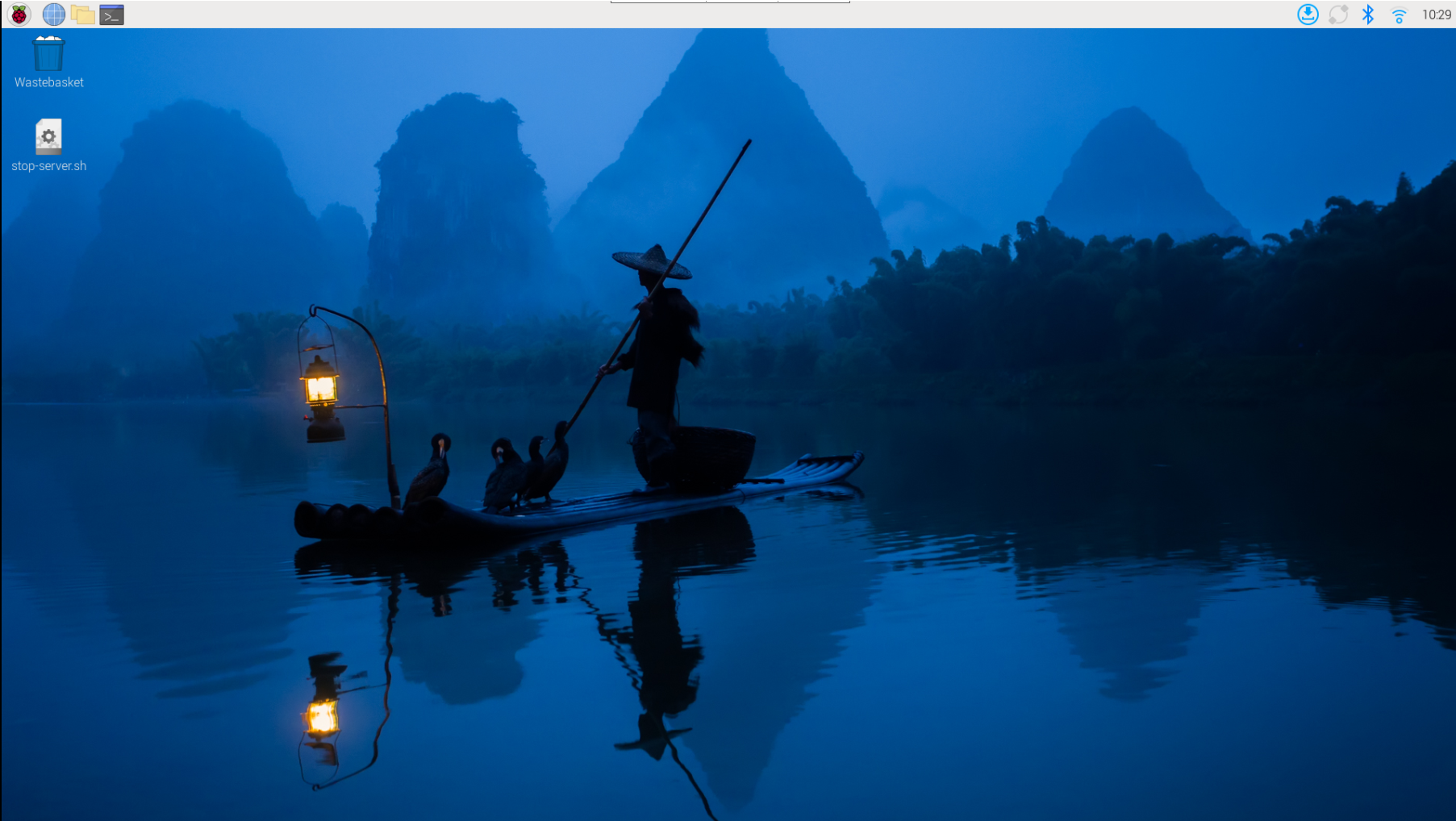
At this point, we have successfully entered the Raspberry Pi system.
Test Subroutine
If you need to run the car’s individual programs, you still need to follow these steps:
You can find the file stop-server.sh on your desktop
All you have to do is double-click on it and select Excute in Terminal in the pop-up window, wait for a while and you’ll get the message Service stopped successfully.
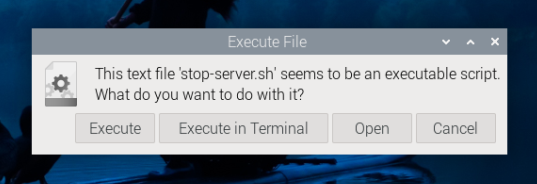
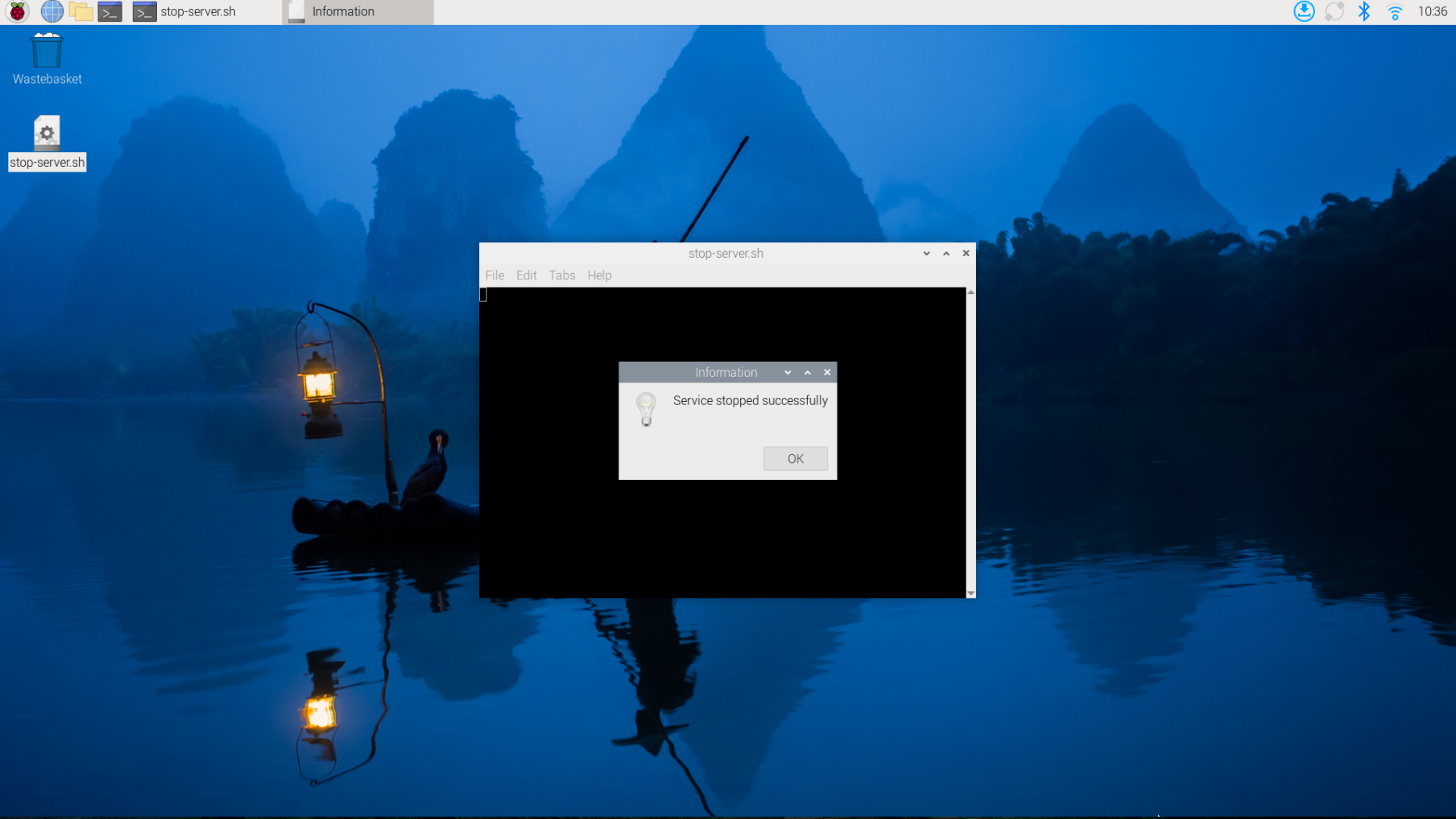
Then you can navigate to the folder cd /opt/Code/Pi4/Server or cd /opt/Code/Pi5/Server-pi5 to find all the
car’s files, where you can run individual programs.
If you have finished testing and want to run the main program again, you can
enter sudo systemctl start main-server.service in the terminal.
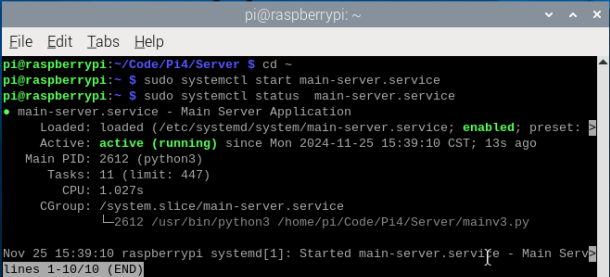
Alternatively, you can press the two buttons on the car’s mainboard to restart the car. The restart will automatically launch the car’s main program, and then you can control the car with the app.